
One platform to plan, dispatch and track every UPS install and service job.
- Operations Software
- Product Design
- UX/UI
- Client:
- Power Techniques Inc.
- Sector:
- Critical power infrastructure
- Scope:
- Operations Platform (Web App) Design
- Year:
- 2026
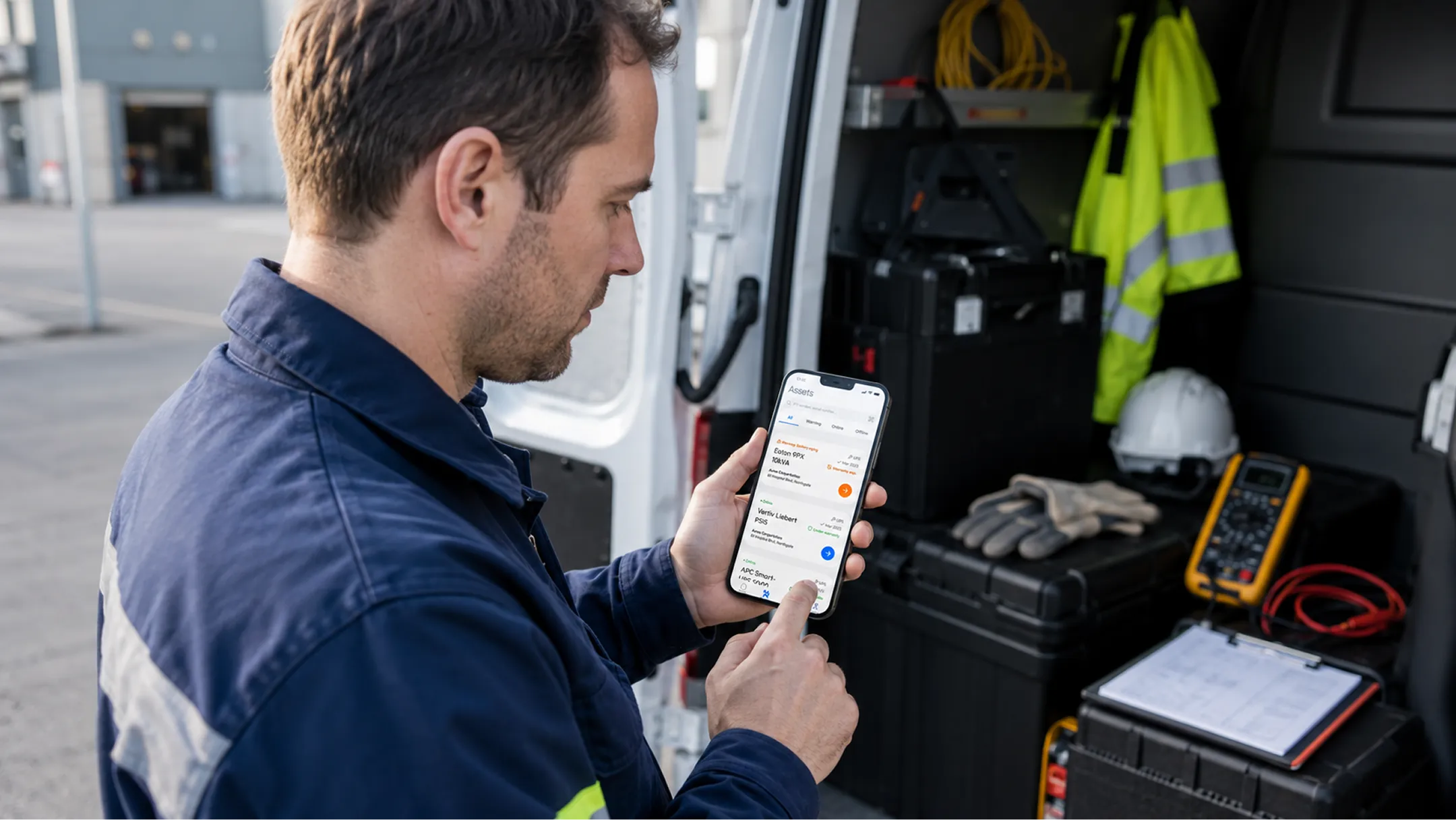
A web platform that gives Power Techniques’ office team one place to plan projects, dispatch technicians and track every unit they’ve ever installed. Designed alongside the PTI mobile app that technicians use on site, it shows problems from the field the moment they happen, not days later.
Challenge
When the whole operation runs on phone calls and memory.
Power Techniques installs and maintains the equipment that keeps hospitals, data centers and industrial sites running when the grid doesn’t: UPS systems, precision cooling and backup power. A single install can involve a signed proposal, a purchase order, a site survey, equipment deliveries, several technician visits, and a unit that then needs servicing for the next ten years.
None of it lived in one place. Technicians documented their work on paper, while projects, jobs, customer history and equipment records were tracked separately in the office. Connecting them depended on whoever remembered. A project manager found out a job was blocked when someone called. A dispatcher found out a technician was double-booked on the day. And the installed equipment, the source of PTI’s recurring service work, had no single record at all.
The answer was two products, designed together around one shared data model: the PTI mobile app for technicians in the field, and PTI Ops for the people planning and running the work. This case study covers PTI Ops.
-
Challenge 01 Disconnected records: “Five places to answer one question”
Customers, their projects, the jobs inside them and the units installed were all tracked separately. Answering “where is the Data Hall B swap?” meant checking several sources and making a few calls.
-
Challenge 02 Problems surfaced late: “We found out when the customer called”
A technician blocked on site, a missed date, a warranty about to expire. None of it reached the office on its own. By the time anyone noticed, it was already late.
-
Challenge 03 Dispatch by memory: “Who’s free on Tuesday?”
Assigning a job meant knowing every technician’s week by heart. Conflicts, unassigned work and missing parts only showed up on the day.
-
Challenge 04 Equipment without a history: “It’s been on site for years. What’s been done to it?”
Installed units are where long-term service revenue comes from, yet there was no lifetime record of their warranty, health or past visits.
Before
- Projects, jobs, customers and equipment tracked separately
- Status updates by phone call, after the fact
- Scheduling from memory, conflicts discovered on the day
- No record of a unit once the install was done
- Every role working from a different version of the truth

After
- One linked record: customer → project → job → unit
- Field updates appear in the office the moment they happen
- A shared week schedule with conflicts flagged and an unassigned queue
- A lifetime record for every unit: health, warranty, service history
- Risk surfaced automatically: overdue jobs, missing parts, expiring warranties

Diagnosis
Three problems hiding behind one messy process.
On the surface it looked like a tooling problem: the office needed software. Underneath were three separate design problems, each needing a different kind of answer.
-
The structure problem
The business has a real shape. A customer orders a project, the project becomes several site visits, each visit touches a specific unit, and that unit stays on site for years. The product had to be built on that model, not on a list of screens.
-
The visibility problem
Different roles need different answers from the same data. A project manager needs to know what’s at risk, a dispatcher who goes where, an account owner what happened with a customer. Each role needed a view built around its question.
-
The timing problem
The timing problem In field service, most of the damage comes from finding out late. The system had to notice problems on its own (missed dates, blocked jobs, conflicts, missing parts) and put them in front of the right person before they became a customer complaint.
Implementation 1
Rebuilt for the person doing the dispatching, not for a calendar.
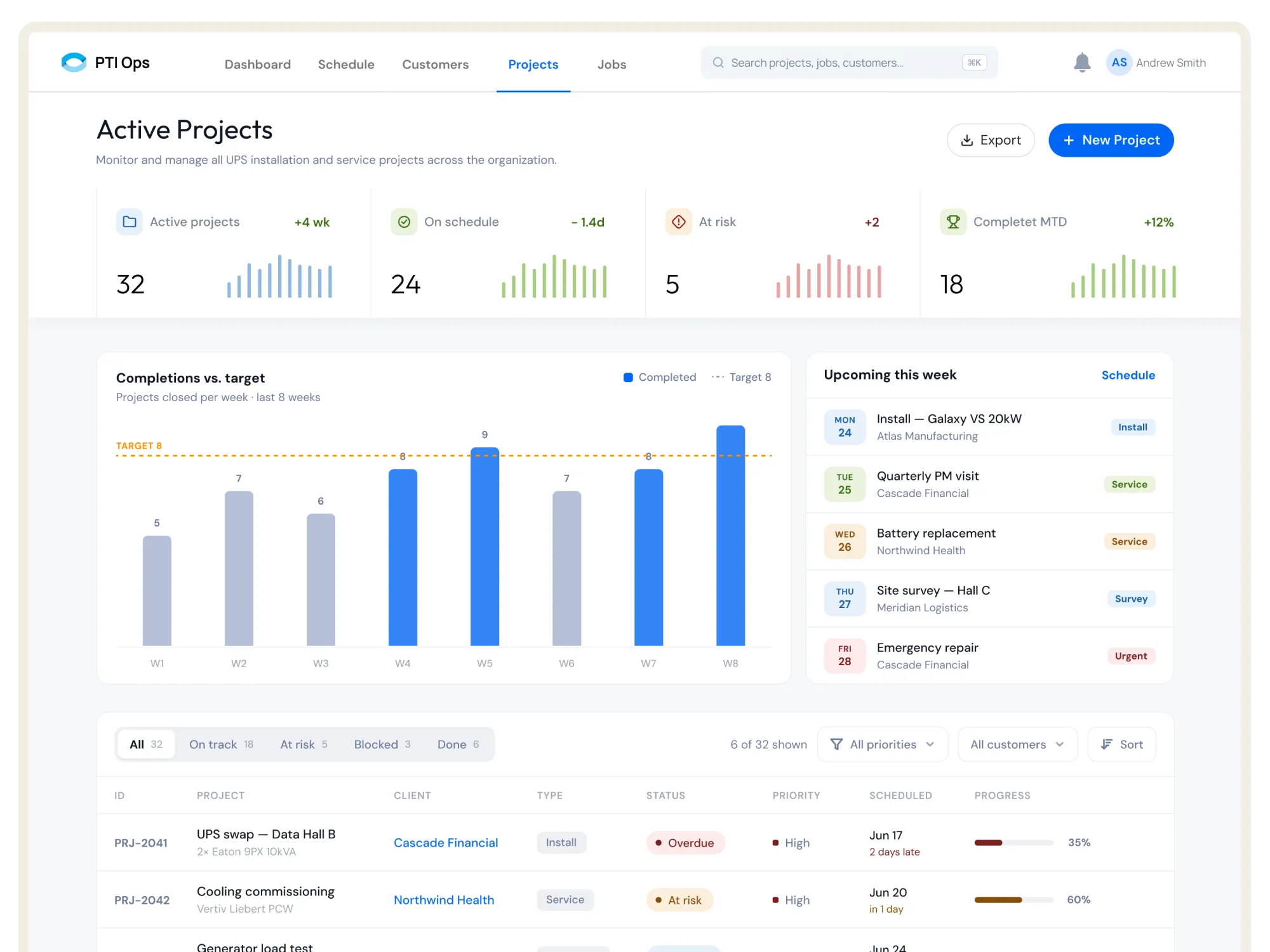
Before designing a single screen, we mapped how a real install moves through the business and made that the product’s backbone: four linked records, customer, project, job and asset. Every screen in the platform is a different view of those same four things.
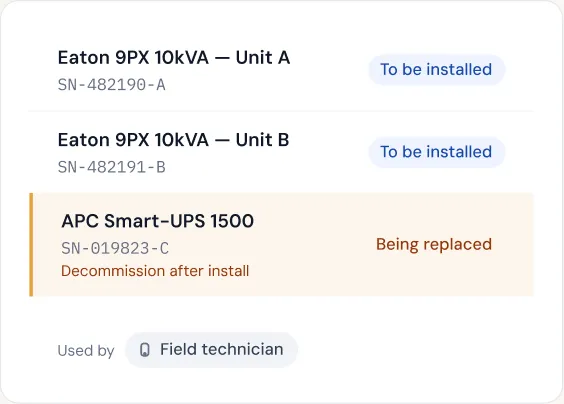
The key decision was treating the installed unit as a permanent record, not a field on a job. Units outlive the project that installed them and keep coming back as maintenance visits, warranty checks and repairs. Making the asset a first-class record lets the platform follow a unit from the signed proposal, through delivery and install, to the day it’s decommissioned and replaced.
Because every record is linked, nothing is typed twice. A job knows its project, unit, customer and technician. A project rolls up its jobs, documents and field reports. A unit carries the history of every visit. The PTI mobile app reads and writes the same records, which is why both products were designed together, from the same model.
Customer → Project → Job → Asset — Linked purchase orders, parts, documents and field reports — Every record one click from every other.
-
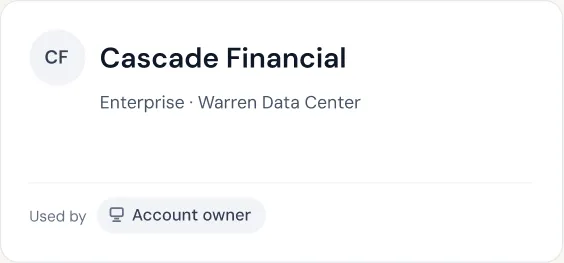
1 Customer
Companies whose power systems PTI installs and maintains, orders work.
-
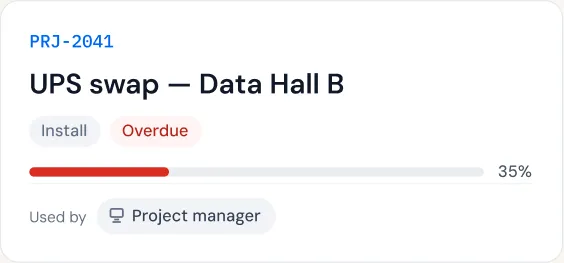
2 Project
A contracted piece of work, e.g. replacing two UPS units is created.
-
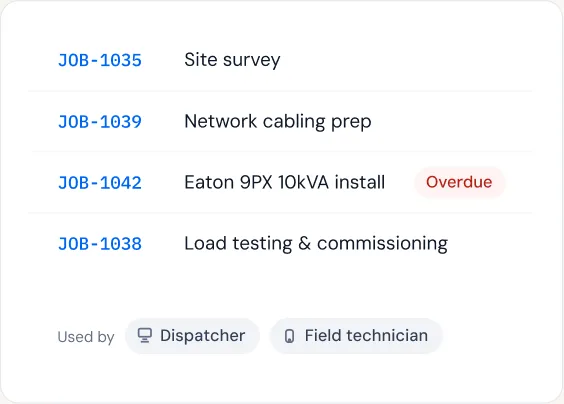
3 Jobs
Individual site visits, each assigned to a technician.
-
4 Assets
Every unit PTI installs, tracked for its whole lifetime.
Implementation 2
A week view built for the person doing the dispatching.
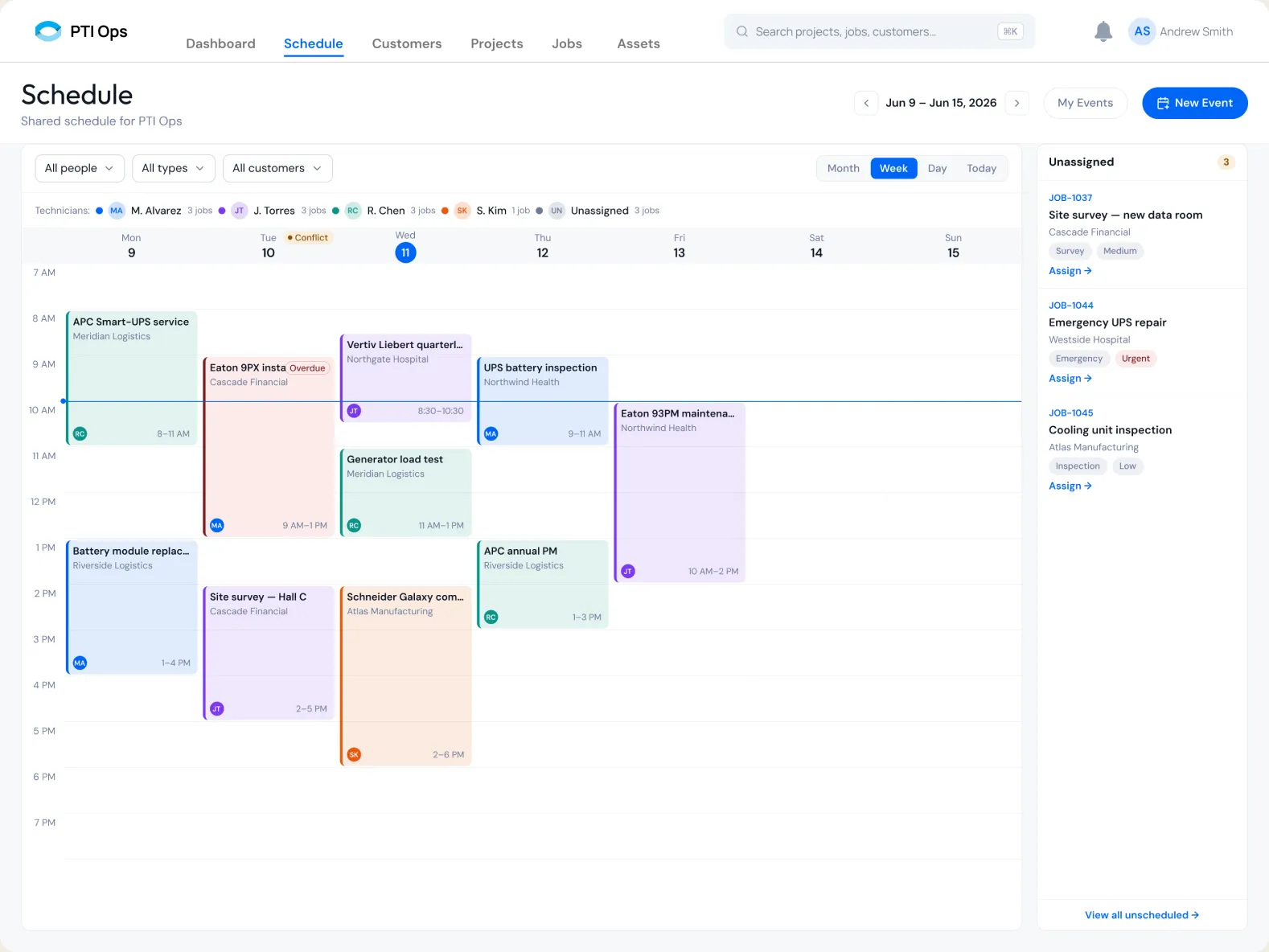
Most field service problems start in the schedule: a technician booked twice, a job nobody picked up, an urgent repair waiting for a free slot. The schedule is a week view, the horizon dispatchers actually plan in, with every technician’s jobs laid out side by side.
Each technician has a color and a running job count, so workload is visible before anything is assigned. Conflicts are flagged on the day they happen, overdue work is marked in place, and a line shows the current time. Jobs without a technician wait in a queue beside the calendar, each one click from being assigned, so urgent work like an emergency repair never slips out of sight.
-
Dispatcher sees week at a glance
- Week view, the real planning horizon
- Color and job count per technician
- Filters by person, job type and customer
- A current-time line across the week
- Overdue jobs marked in place
-
System catches: Built-in Checks
- Overlapping jobs flagged on the day
- Unassigned jobs queued beside the calendar
- One-click assign from the queue
- Urgent and emergency jobs marked by priority
- Technician notified as soon as a job is assigned
Implementation 3
From blocked on site to fixed in the office, without a single phone call.
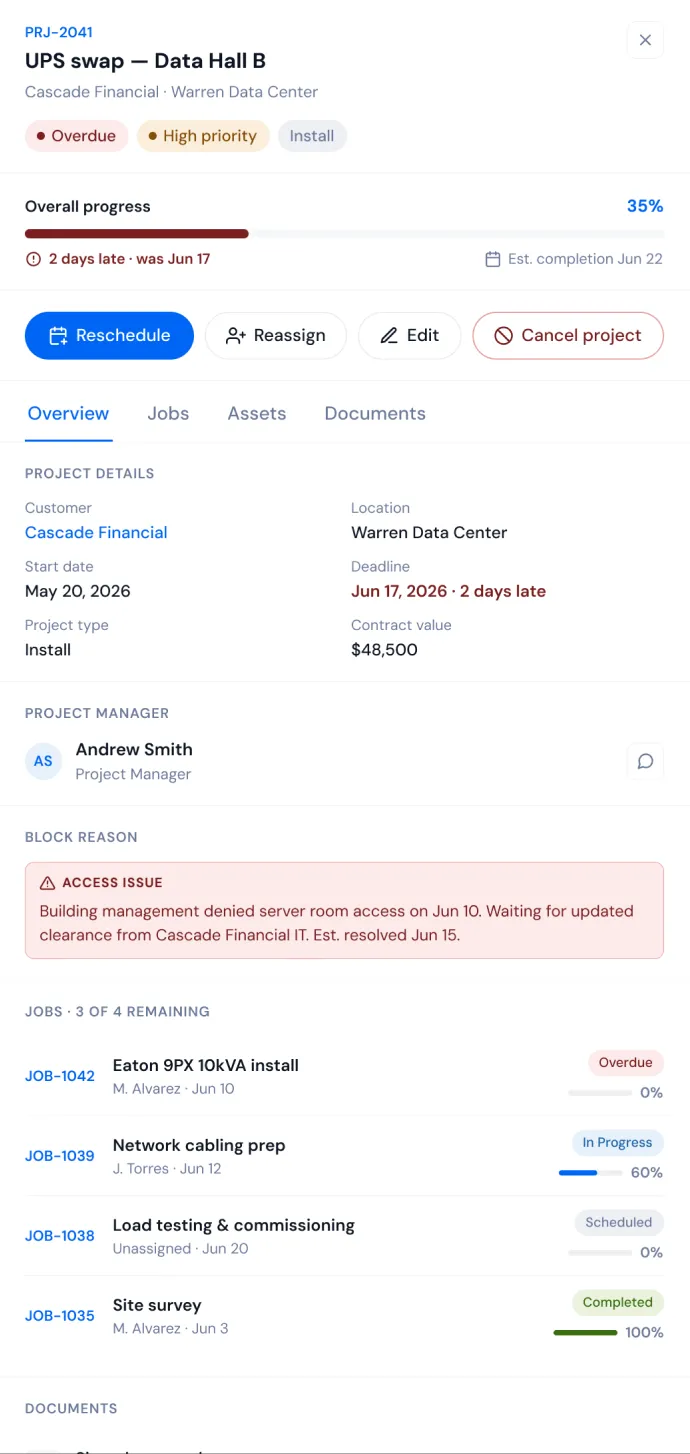
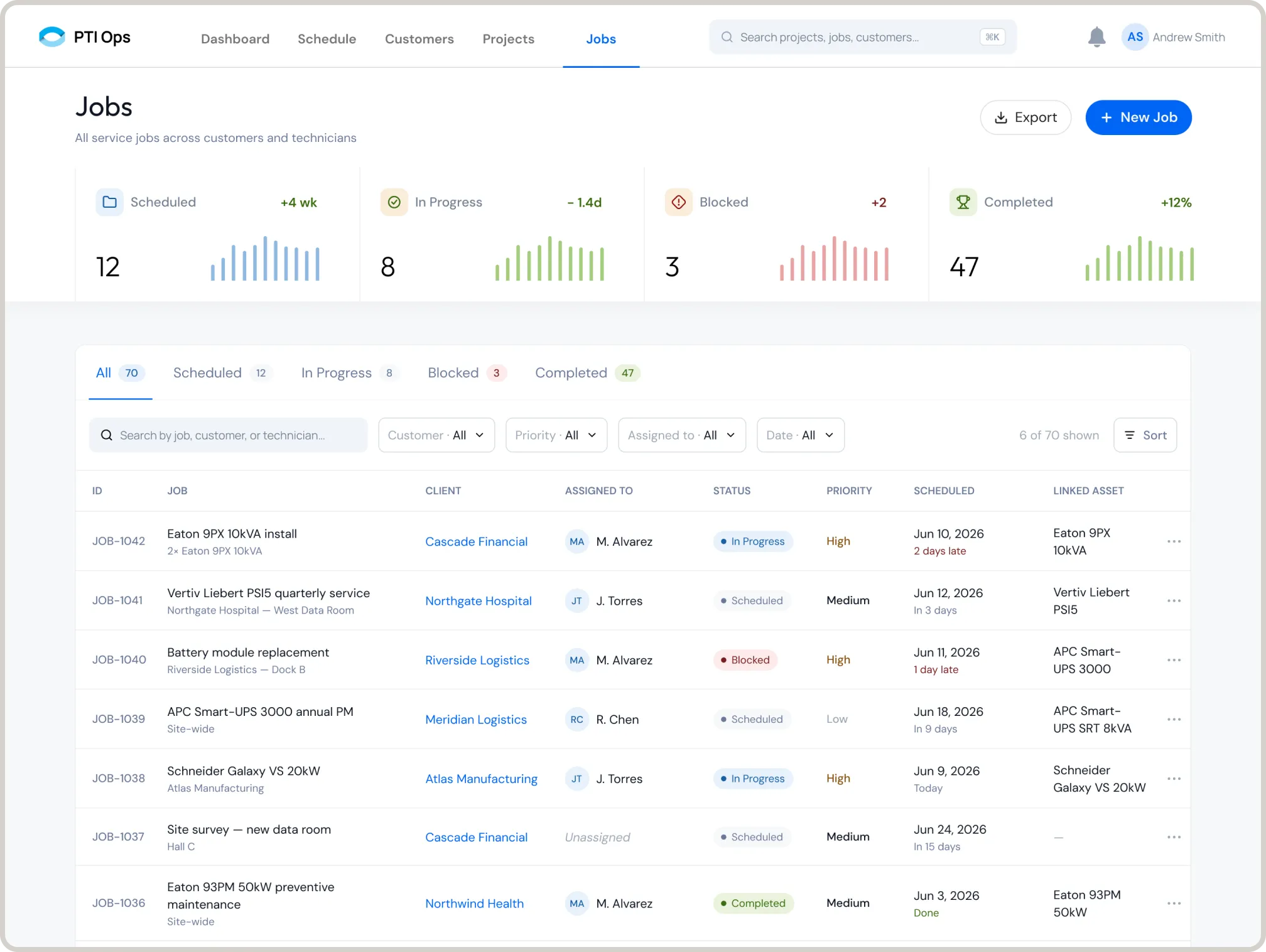
The most important thing the platform does is notice. When something goes wrong in the field, the office shouldn’t hear about it from the customer. Every status change from the technician’s phone and every date the system watches feeds the same loop.
-
Step 1 The field reports it
The technician marks a job blocked on site (server room access denied) with the reason attached, straight from the PTI mobile app.
-
Step 2 The system catches it
Missed dates, schedule conflicts, missing parts and expiring warranties are flagged automatically. Nobody has to watch a list.
-
Step 3 The right person sees it
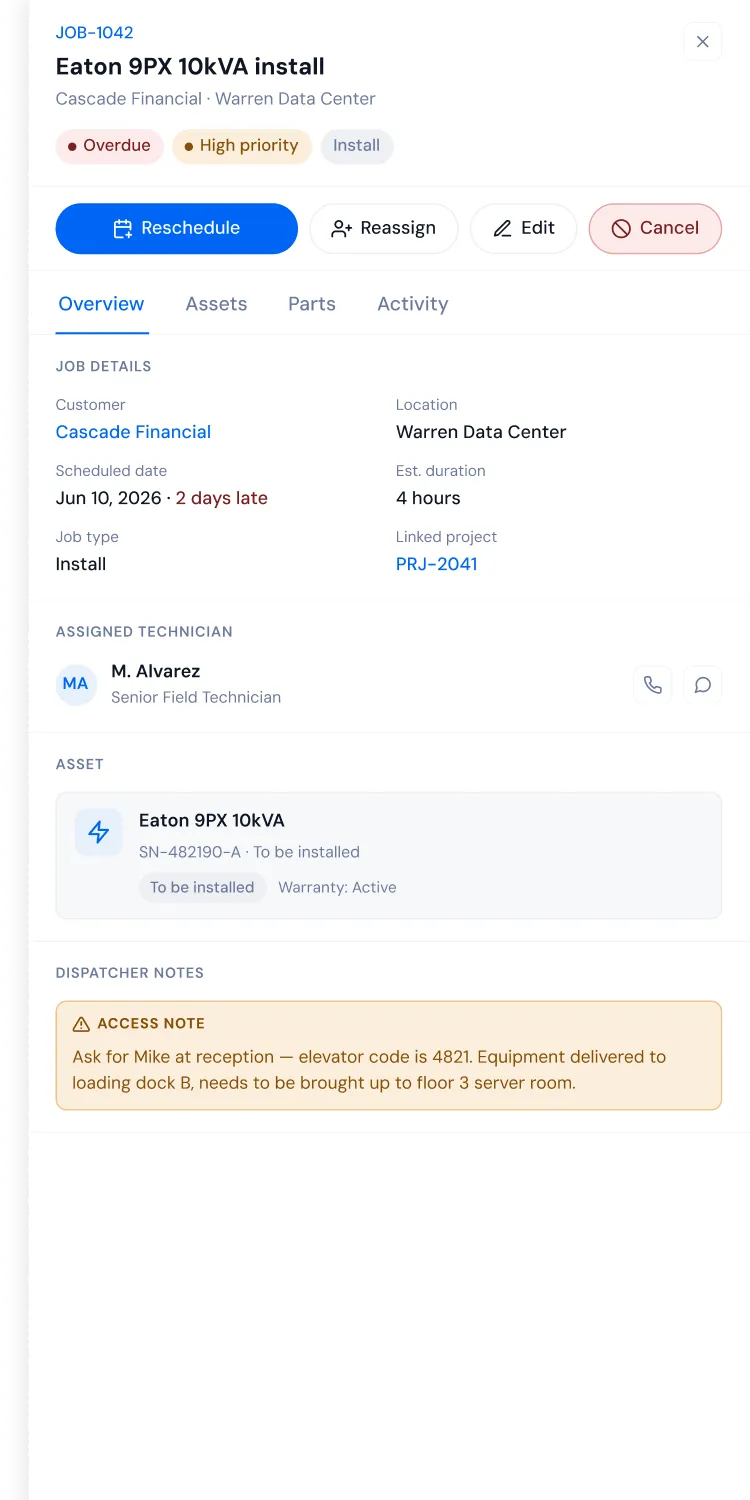
The job turns overdue, the project shows days late, the KPIs update, and a notification reaches the project manager and the dispatcher.
-
Step 4 It’s fixed in context
Reschedule, reassign or add site instructions from the same panel. The technician sees the update on their phone.
Implementation
Dense data, calm interface.
-
01 — Status
One Language Everywhere
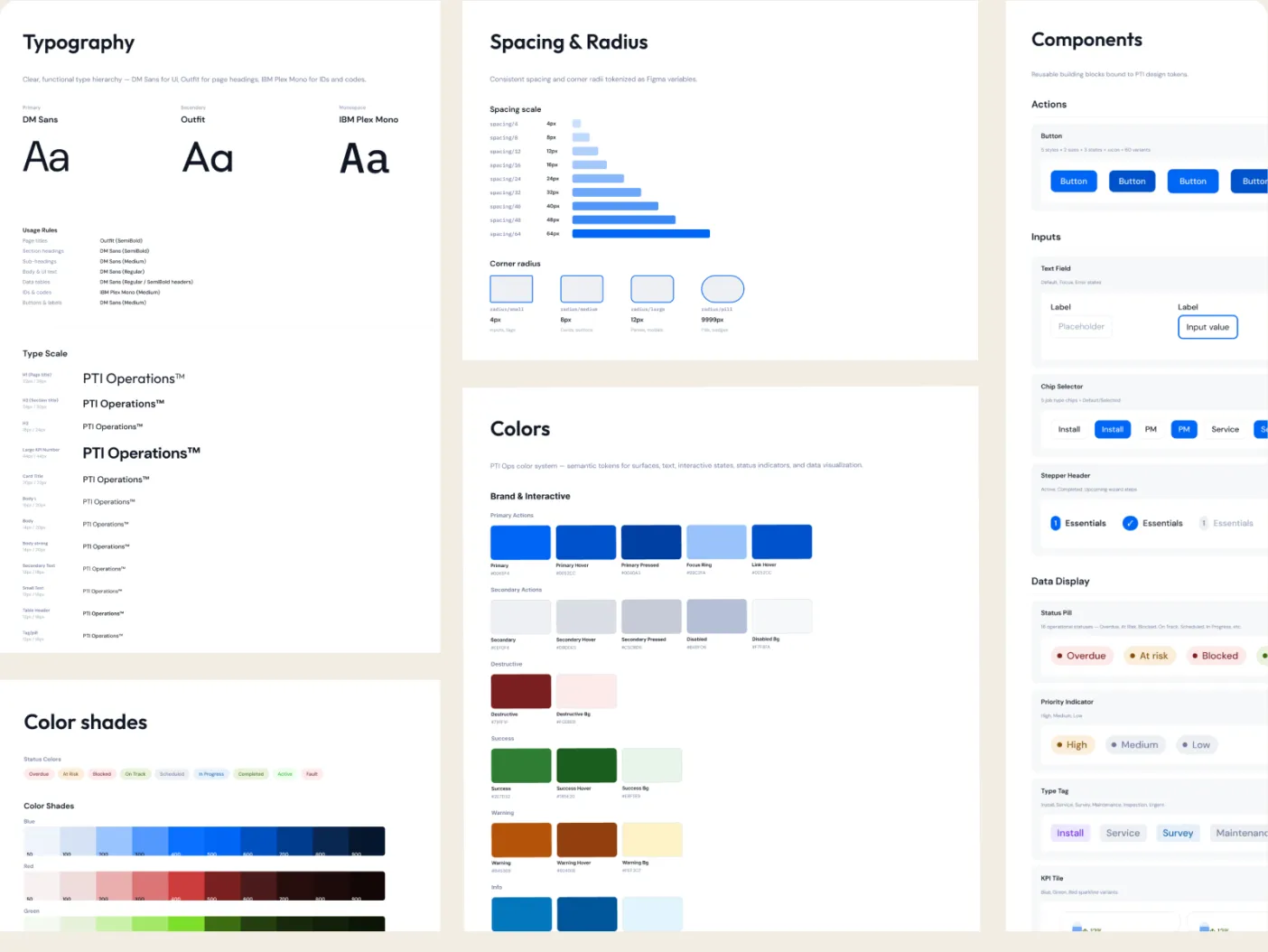
One status model shared by jobs, projects, units and notifications. Every status is a colored dot plus a text label, never color alone.
-
02 — Time
Relative, Not Raw
“2 days late” and “in 1 day” instead of bare dates. Nobody should have to do date math to find out what’s urgent.
-
03 — Depth
Two Levels of Detail
Side panels for a quick check without losing your place in the list. Full pages when the work needs room: parts, activity, comments.
-
04 — Foundations
Built on Tokens
Outfit for headings, DM Sans for the interface, IBM Plex Mono for IDs and serial numbers. An 8pt grid and Figma variables for color, spacing and radius, shared with the mobile app.
The outcomes
An operation that can finally see itself.
-

One source of truth
Customers, projects, jobs and units are linked records. Finding out where an install stands takes one screen, not five calls.
-

Problems surface on their own
Overdue jobs, blocked work, schedule conflicts, missing parts and expiring warranties are flagged automatically and sent to the people who can act on them.
-

Dispatch with the whole picture
A shared week schedule shows every technician’s load, every conflict and every unassigned job, including the urgent ones that need to jump the queue.
-

Ready before the van leaves
Each job carries its required parts, what’s on hand, what’s missing and the customer PO, so technicians don’t arrive on site without what they need.
-

A lifetime record for every unit
Health, warranty, firmware and full service history for every installed unit. The base for PTI’s recurring maintenance work.
-

Office and field, one system
Dispatcher notes appear on the technician’s phone. Field reports and status changes appear in the office. Both apps share one data model and one system.
See the PTI mobile app case study
PTI no longer runs on phone calls and memory. The field and the office work from the same record, and the people running the business see problems while there’s still time to fix them.